
ACTION 14 OF 16
How consistent company info across directories and Wikidata affects GEO
SHORT ANSWER
Write one positioning statement: who you are, what you do, who it’s for, and what sets you apart. Then make sure it reads the same, along with the basics (name, address, website, founding year), on your site, in directories, on your profiles, and in Wikidata. When several versions exist, AI may blend them or pick an outdated one.
- Time: 2 hours
- Owner: marketer
- Impact: ≈ +3–6% Coverage ¹
Kyrylo Poltavets, Founder of Dabudai · LinkedIn
Published · Updated
Why should your company description be the same everywhere?
When your description and facts match across your site and third-party sources, models can clearly tell who you are. When one directory has an old address and another shows a different name or a different list of services, AI confuses you with someone else, uses the outdated version, or describes you in a way you didn’t intend.
How to make your company info consistent, step by step
- Write your positioning: how you want AI to describe your company, in one sentence and in a short paragraph.
- Put together a single company fact sheet: name, description, category, services, who it’s for, address, phone, website, and founding year. The template is below.
- Start with your site. Your homepage, About page, contact page, footer, and Organization markup should all say the same thing.
- Update your profiles in the directories AI cites in your niche, and fix old profiles that show different data.
- If independent coverage of your company already exists, create a Wikidata item that links to it.
How do you write a positioning statement AI will repeat?
Your positioning is what you want AI to say when someone asks “what is [your brand]?” Write it as one sentence using this formula:
[Brand] is a [category] for [customer] that [key differentiator].
Example: “Dabudai is an AI search analytics platform for marketers and agencies that shows daily how ChatGPT and Google AI mention a brand and its competitors.”
- One category everywhere. Don’t call yourself an “agency” on your site, a “studio” in a directory, and a “consultancy” on LinkedIn. Pick one word.
- The same services in the same words. If your site says “dental implants,” your profiles shouldn’t just say “oral surgery.”
- Site first, directories second. Your site is the main source of truth about you. Profiles should repeat it, not the other way around.
What has to match on your site and in directories?
| What | Where to check |
|---|---|
| Company name and legal entity name | Site, footer, directories, Wikidata, business registry |
| One-sentence description | Homepage, About page, meta description, profiles |
| Business category | Google Business Profile category, LinkedIn industry, Wikidata |
| Services or products | Service pages, directory profiles |
| Who it’s for | Site, profiles |
| Address and phone | Contact page, footer, Google Business Profile, Apple Business Connect, Bing Places |
| Website and social profiles | Every profile, plus the sameAs field in your site markup |
| Founding year | About page, LinkedIn, Crunchbase, Wikidata |
Your name, address, and phone number should match character for character. “St.” instead of “Street” is fine. Two different legal entity names or an old phone number is a problem.
When sources contradict each other, a model doesn’t refuse to answer. It picks one version, usually the one repeated across more sources or the one from a more authoritative source. So an old address still sitting in five directories can “win” over the new one on your site. [arXiv, 2026]
Which directories should your company be listed in?
- Google Business Profile: for anyone with an office or customers in specific cities.
- Apple Business Connect: data for Apple Maps and Siri.
- Bing Places: data for Bing search and the assistants built on it.
- LinkedIn Company Page: a must for B2B.
- Crunchbase: for startups and tech companies.
- Niche directories: G2, Capterra, Clutch, and others (see Action 11).
- Company registries: your state business registry in the US, Companies House in the UK, or OpenCorporates internationally. They work well as sources in Wikidata.
On your site, add Organization markup with a sameAs field that points to Wikidata, LinkedIn, and Crunchbase. This helps search engines tie all your profiles to one site. [Google]
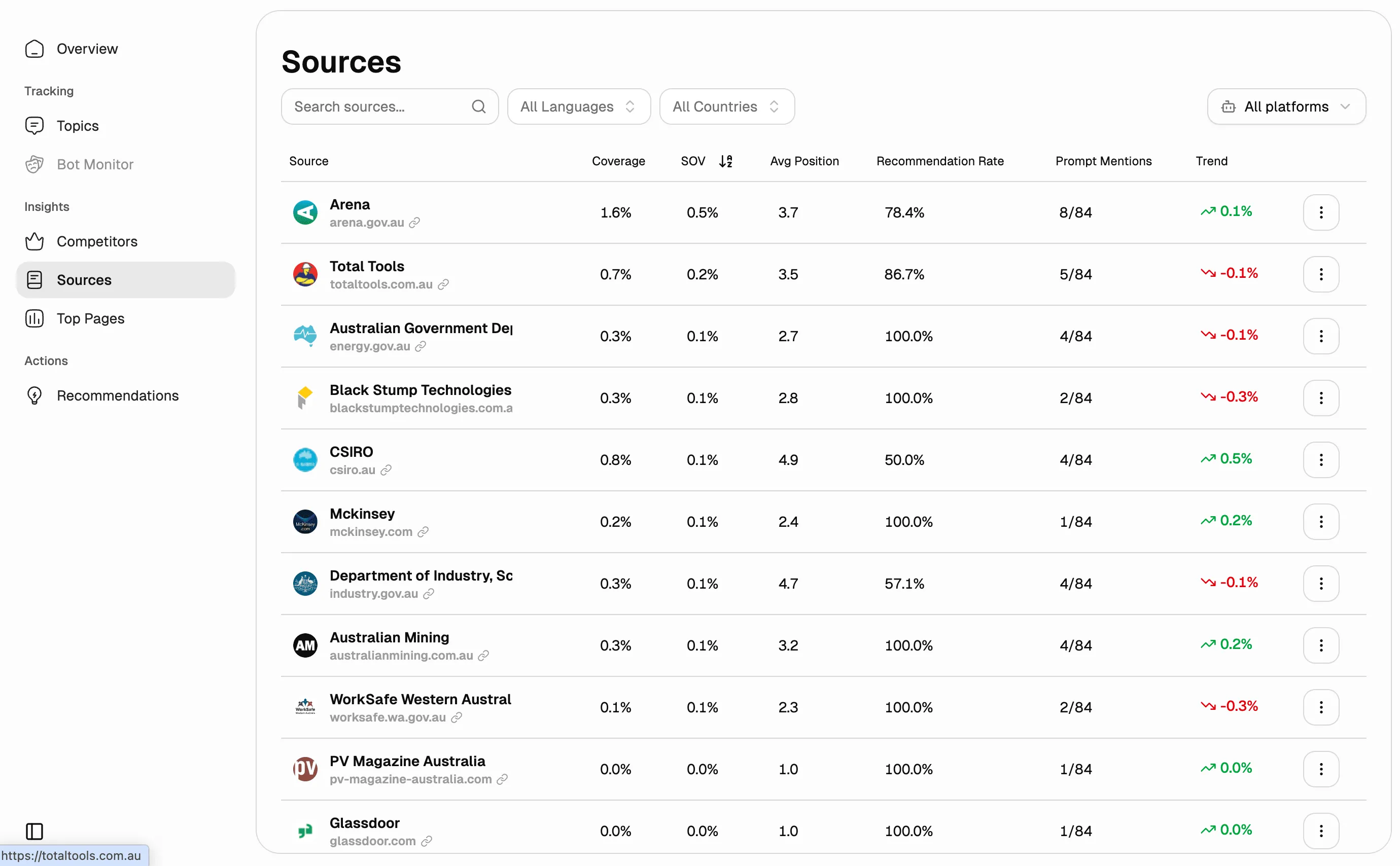
To see which directories AI cites in your niche, check the Sources section on the platform for free for 7 days.
How do I find the directories AI relies on in my niche?
Copy the prompt, fill in your details, and run it 2–3 times in ChatGPT with search turned on and in Google AI Mode. Keep the platforms that show up every time.
You are a GEO analyst (you track how brands show up in AI answers). My business: [name], [what we do], [who it’s for], [city, country], website [domain].

Task: find the directories, databases, and company-profile platforms that you and other AI assistants rely on when you describe and recommend companies in my niche.

1. Search the web for answers to 5 queries customers in my niche ask, for example: “best [service] in [city],” “[service] [city] contact info,” “what is [name],” “[competitor] alternatives.”
2. List the directories, company databases, maps, and industry platforms with company profiles that you cite or pull data from. List review sites and media outlets separately.
3. Build a table: platform | type (maps, business directory, industry directory, company database) | which queries it shows up for | whether [name] has a profile there | whether the name, description, address, phone, and website there match our site.
4. Check which of these platforms have profiles for 2–3 competitors you recommend, where we don’t have one.
5. Name 5 platforms where we should create or fix a profile, in priority order, and briefly explain why.

Only cite real pages with URLs. If there’s no data, say so. Don’t make anything up.
Does my company need a Wikidata item, and what goes in it?
Wikidata is an open database of structured facts used by search engines, voice assistants, and the datasets models are trained on. One accurate, well-sourced item there works like your company’s ID card. [Wikidata]
A Wikidata item is allowed to exist if it meets at least one condition: a Wikipedia article or another Wikimedia project links to it; it describes a clearly identifiable entity with serious public sources about it; or it’s needed to describe other items. For a company, that usually means 1–2 independent sources: a media outlet, a government registry, or an industry directory. Without them, the item may be deleted. [Wikidata]
| Property | What to enter |
|---|---|
| P31 · instance of | business (Q4830453) or company (Q783794) |
| P1448 · official name | Official name, exactly as registered |
| P452 · industry | Industry |
| P17 · country | Country |
| P159 · headquarters location | City of your head office |
| P571 · inception | Founding year |
| P856 · official website | Website URL |
| P4264 · LinkedIn company ID | The ID of your LinkedIn company page |
Add a source link (reference URL, P854) to every statement: a registry record or a media article.
Template: one company fact sheet for your site and directories
Legal name: [exactly as registered]
Brand name: [Brand]
One-liner: [Brand] is a [category] for [customer] that [key differentiator].
Description (50–80 words): [what you do, who it’s for, where you operate, what sets you apart, one number as proof]
Category: [one word, the same everywhere]
Services / products: [3–5 items, worded the same everywhere]
Who it’s for: [customer type]
Address: [exactly as in Google Business Profile]
Phone: [+1 …]
Website: https://yoursite.com
Founded: [year]
Social profiles: [LinkedIn, Facebook, Instagram]
How do you check whether AI describes your company correctly?
Check on the platform for free (7 days) how AI answers “what is [brand],” “where is [brand] located,” and “when was [brand] founded.” Errors in those answers signal that your data doesn’t match across databases. To check manually, ask ChatGPT and Google AI Mode, repeating each question a few times.
If you use Dabudai, Sources shows which directories and databases AI cites in your niche. Start with those.
app.dabud.ai · Sources
No account yet? Your first brand data shows up within 20 minutes of signing up. The first 7 days are free.
Common questions about company profiles and Wikidata
What do I do with an old profile I can’t edit?
Claim the profile through the platform itself (most have a button like “Claim this business”), or ask their support team to update the data. If the profile duplicates another one, ask them to remove it.
Can I write a Wikipedia article about my company?
No. That violates Wikipedia’s conflict-of-interest rules. Independent editors write the article once independent coverage of you exists. [Wikipedia]
Which directories should I fill out?
The ones AI cites in your niche: G2 and Capterra for SaaS, Clutch for agencies, and Google Business Profile and local directories for local businesses.
What Dabudai customers say
★★★★★
A clear direction, even before the recommendations
“The dashboards are clear and intuitive. They make it easy to see what’s driving our AI visibility.”
Andrew Shestopalov
· Head of Marketing, Hotline
GO DEEPER
Learn more about directories and Wikipedia in Lesson 7.5 of the Learning Center inside the Dabudai platform, with examples and a check on your own data.
The Learning Center is open during the free 7-day trial. No credit card needed.
Sources
[Wikidata] Wikidata: Introduction ↗
[Wikipedia] Wikipedia: Conflict of interest ↗
[Wikidata] Wikidata: Notability criteria ↗
[Google] Google: Organization structured data ↗
[arXiv, 2026] Whose Facts Win? Which sources models trust when facts conflict, 2026 ↗
¹ Estimated impact comes from Dabudai’s analysis of 350,000 AI answers across 2,300 websites, October 2026. Your results depend on your niche, competitors, and starting point.